Eight MI300X GPUs, Six Open Models, Five Routing Objectives

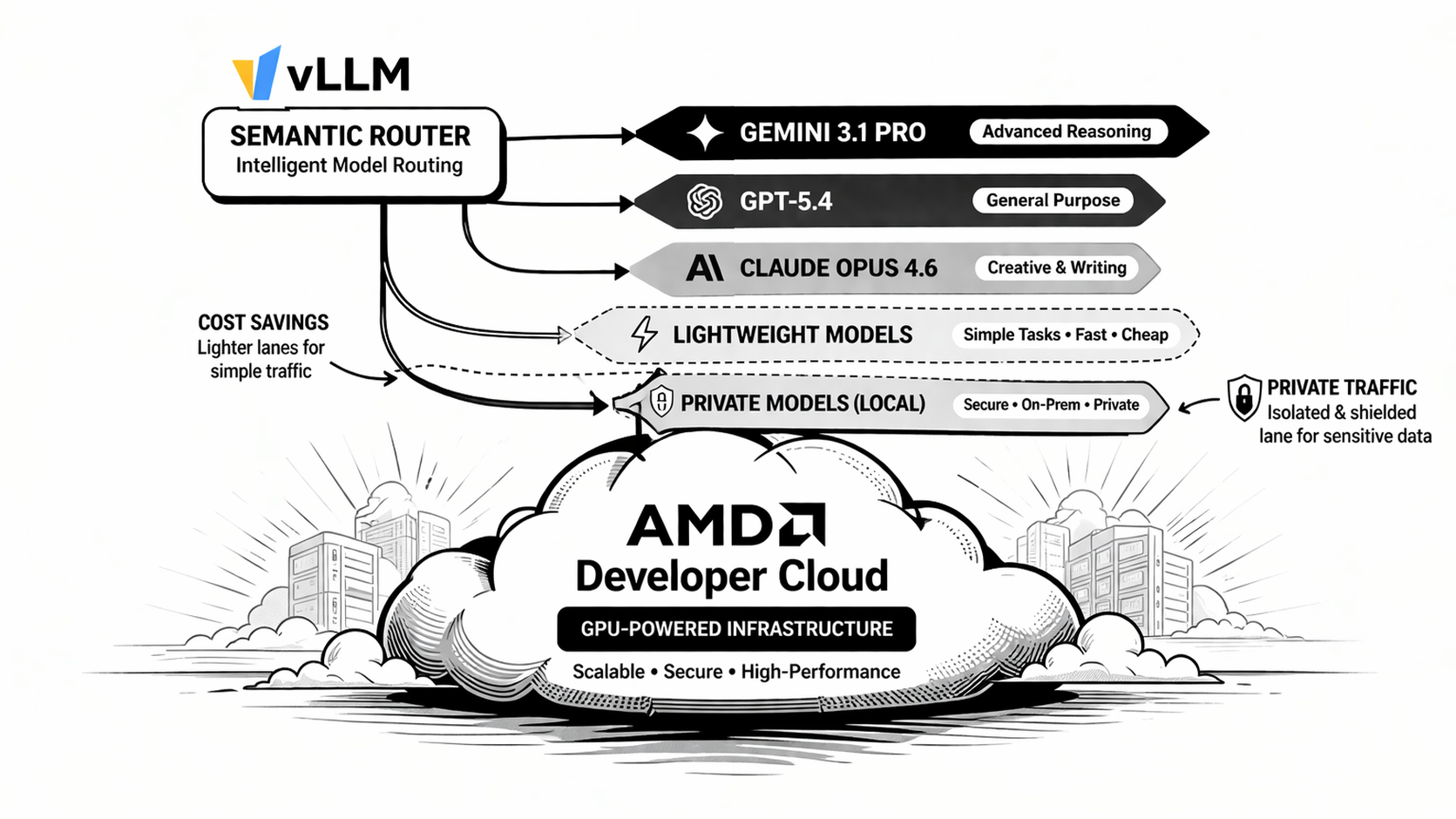
The first AMD Developer Cloud deployment guide showed how to put vLLM Semantic
Router in front of a balance-oriented ROCm backend. The maintained
multi-objective recipe takes the next step: clients choose the optimization
objective they want, while the router keeps each objective's signals,
projections, decisions, algorithms, and plugins isolated.
This guide deploys six physical open models across seven serving GPUs, reserves the eighth GPU for router classifiers, and presents five stable Mixture-of-Models entrypoints. Requests move between checkpoints with different architectures, latency, tool-use, and quality profiles instead of simulating those differences with aliases on one backend.
From One Profile to Five Objectives
The balance recipe exposes one automatic routing policy. The multi-objective recipe exposes five request-facing model IDs:
| Client model | Objective |
|---|---|
vllm-sr/mom-balanced-v1 | Balance quality, latency, cost, and load. |
vllm-sr/mom-flash-v1 | Prefer interactive latency and retain a bounded heavy lane. |
vllm-sr/mom-economy-v1 | Stay local and spend additional compute only when justified. |
vllm-sr/mom-frontier-v1 | Escalate from direct answers to confidence routing, ReMoM, Fusion, or Router Flow. |
vllm-sr/mom-private-v1 | Keep private or suspicious requests on local policy-compatible routes. |
An entrypoint selects one recipe before signal evaluation. Names inside that recipe are local to the recipe, so a signal or decision in the privacy program cannot accidentally activate a route in the speed program.
The request flow is:
Client model
  -> entrypoint
  -> isolated recipe
  -> signals and projections
  -> decision and algorithm
  -> logical backend alias
  -> one of six physical ROCm models
The Eight-GPU Model Pool
The pool assigns every GPU a measured responsibility. Redundancy is used only where it improves interactive capacity; architecture diversity is used where a stable judge can resolve disagreements.
| GPU | Physical model | Local lanes | Role |
|---|---|---|---|
| 0 | Qwen/Qwen3.5-122B-A10B-FP8 | local/qwen3.5-122b-frontier | Stable direct model and judge. |
| 1 | Qwen/Qwen3.5-9B | economy, private | Low-cost primary. |
| 2 | Qwen/Qwen3.6-35B-A3B-FP8 | local/qwen3.6-35b-flash | Flash-class MoE. |
| 3 | deepseek-ai/DeepSeek-V4-Flash-0731 | local/deepseek-v4-flash-analyst | Current MIT-licensed analyst behind the stable judge. |
| 4 | Qwen/Qwen3.6-27B | local/qwen3.6-27b-coder | Dense coding, planning, and structured output. |
| 5 | google/gemma-4-26B-A4B-it | local/gemma4-26b-balanced | Fast architecture-diverse balanced tier. |
| 6 | Qwen/Qwen3.5-9B | local/qwen3.5-9b-economy-replica | Independent cost/speed load replica. |
| 7 | Router signal models | internal | Isolated classification and projection runtime. |
DeepSeek V4 is intentionally an analyst, not the direct default. Its pinned MI300X stack passed long-context, tools, structured output, and concurrency gates, but scored 11/12 on the arithmetic calibration where Qwen3.6, Gemma 4, and Qwen3.5-122B scored 12/12. The stable 122B model therefore remains the judge. This is co-design from measurements, not release-date routing.
The smaller backends use a 32K serving limit for predictable single-GPU capacity. Qwen3.5-122B and DeepSeek V4 retain 262K limits. These are deployment limits, not architectural claims.
Step 1: Start the ROCm Backends
Create the shared network:
sudo docker network create vllm-sr-network 2>/dev/null || true
Set the shared image and cache location:
export VLLM_IMAGE="${VLLM_IMAGE:-vllm/vllm-openai-rocm:latest}"
export VLLM_HF_CACHE="${VLLM_HF_CACHE:-$HOME/.cache/huggingface}"
mkdir -p "$VLLM_HF_CACHE"
Start the 122B frontier backend on GPU 0:
sudo docker run -d \
  --name vllm \
  --network vllm-sr-network \
  --restart unless-stopped \
  -p "127.0.0.1:${VLLM_PORT_122B:-8090}:8000" \
  -v "$VLLM_HF_CACHE:/root/.cache/huggingface" \
  --device /dev/kfd \
  --device /dev/dri \
  --group-add video \
  --ipc host \
  --cap-add SYS_PTRACE \
  --security-opt seccomp=unconfined \
  --shm-size 32G \
  -e ROCR_VISIBLE_DEVICES=0 \
  -e VLLM_ROCM_USE_AITER=1 \
  --entrypoint python3 \
  "$VLLM_IMAGE" \
  -m vllm.entrypoints.openai.api_server \
    --model Qwen/Qwen3.5-122B-A10B-FP8 \
    --host 0.0.0.0 \
    --port 8000 \
    --served-model-name qwen/qwen3.5-rocm \
    --enable-auto-tool-choice \
    --tool-call-parser qwen3_xml \
    --reasoning-parser qwen3 \
    --max-model-len 262144 \
    --language-model-only \
    --max-num-seqs 128 \
    --kv-cache-dtype fp8 \
    --gpu-memory-utilization 0.85
Start the 9B economy/private backend on GPU 1:
sudo docker run -d \
  --name vllm-qwen35-economy \
  --network vllm-sr-network \
  --restart unless-stopped \
  -p "127.0.0.1:${VLLM_PORT_9B:-8091}:8000" \
  -v "$VLLM_HF_CACHE:/root/.cache/huggingface" \
  --device /dev/kfd \
  --device /dev/dri \
  --group-add video \
  --ipc host \
  --cap-add SYS_PTRACE \
  --security-opt seccomp=unconfined \
  --shm-size 32G \
  -e ROCR_VISIBLE_DEVICES=1 \
  -e VLLM_ROCM_USE_AITER=1 \
  --entrypoint python3 \
  "$VLLM_IMAGE" \
  -m vllm.entrypoints.openai.api_server \
    --model Qwen/Qwen3.5-9B \
    --host 0.0.0.0 \
    --port 8000 \
    --served-model-name \
      local/qwen3.5-9b-economy \
      local/qwen3.5-9b-private \
    --enable-auto-tool-choice \
    --tool-call-parser qwen3_coder \
    --reasoning-parser qwen3 \
    --max-model-len 32768 \
    --language-model-only \
    --max-num-seqs 128 \
    --kv-cache-dtype fp8 \
    --gpu-memory-utilization 0.50
Start the Qwen3.6 flash backend on GPU 2:
sudo docker run -d \
  --name vllm-qwen36-flash \
  --network vllm-sr-network \
  --restart unless-stopped \
  -p "127.0.0.1:${VLLM_PORT_35B:-8092}:8000" \
  -v "$VLLM_HF_CACHE:/root/.cache/huggingface" \
  --device /dev/kfd \
  --device /dev/dri \
  --group-add video \
  --ipc host \
  --cap-add SYS_PTRACE \
  --security-opt seccomp=unconfined \
  --shm-size 32G \
  -e ROCR_VISIBLE_DEVICES=2 \
  -e VLLM_ROCM_USE_AITER=1 \
  --entrypoint python3 \
  "$VLLM_IMAGE" \
  -m vllm.entrypoints.openai.api_server \
    --model Qwen/Qwen3.6-35B-A3B-FP8 \
    --host 0.0.0.0 \
    --port 8000 \
    --served-model-name local/qwen3.6-35b-flash \
    --enable-auto-tool-choice \
    --tool-call-parser qwen3_coder \
    --reasoning-parser qwen3 \
    --max-model-len 32768 \
    --language-model-only \
    --max-num-seqs 128 \
    --kv-cache-dtype fp8 \
    --gpu-memory-utilization 0.60
DeepSeek V4 on MI300X requires FNUZ-aware correctness overlays that are not in the generic ROCm image. Use the checksum-pinned production stack on GPU 3:
git clone https://github.com/ryanzhou/deepseek-v4-flash-mi300x.git
cd deepseek-v4-flash-mi300x
git checkout 7c06e57
sha256sum -c SHA256SUMS
mkdir -p aiter-cache crash-dumps
chmod +x vllm-entrypoint.sh

cat > compose.semantic-router.yaml <<'YAML'
services:
  inference:
    container_name: vllm-deepseek-v4
    environment:
      ROCR_VISIBLE_DEVICES: "3"
    ports: ["127.0.0.1:8093:8000"]
    volumes:
      - ${HOME}/.cache/huggingface:/root/.cache/huggingface:ro
    networks: [vllm-sr-network]
networks:
  vllm-sr-network:
    external: true
YAML

docker compose -f compose.yaml -f compose.semantic-router.yaml up -d inference
cd ..
Use the same pinned current-generation ROCm image for Qwen3.6-27B and Gemma 4:
export VLLM_NEXT_IMAGE='vllm/vllm-openai-rocm@sha256:e68d18b2ba50298661bfc49baf01158fbf036645c2362cccf3e8a7a79fe6c69a'
Start the dense Qwen3.6 coding tier on GPU 4:
sudo docker run -d \
  --name vllm-qwen36-coder \
  --network vllm-sr-network \
  --restart unless-stopped \
  -p 127.0.0.1:8094:8000 \
  -v "$VLLM_HF_CACHE:/root/.cache/huggingface" \
  --device /dev/kfd --device /dev/dri --group-add video \
  --ipc host --security-opt seccomp=unconfined --shm-size 32G \
  -e ROCR_VISIBLE_DEVICES=4 -e VLLM_ROCM_USE_AITER=1 \
  --entrypoint python3 "$VLLM_NEXT_IMAGE" \
  -m vllm.entrypoints.openai.api_server \
    --model Qwen/Qwen3.6-27B \
    --host 0.0.0.0 --port 8000 \
    --served-model-name local/qwen3.6-27b-coder \
    --enable-auto-tool-choice --tool-call-parser qwen3_coder \
    --reasoning-parser qwen3 --language-model-only \
    --max-model-len 32768 --max-num-seqs 128 \
    --kv-cache-dtype fp8 --gpu-memory-utilization 0.65
Start Gemma 4 on GPU 5. Its GELU-Tanh MoE is not supported by the AITER unquantized MoE kernel, so this tier explicitly uses Triton:
sudo docker run -d \
  --name vllm-gemma4-balanced \
  --network vllm-sr-network \
  --restart unless-stopped \
  -p 127.0.0.1:8095:8000 \
  -v "$VLLM_HF_CACHE:/root/.cache/huggingface" \
  --device /dev/kfd --device /dev/dri --group-add video \
  --ipc host --security-opt seccomp=unconfined --shm-size 32G \
  -e ROCR_VISIBLE_DEVICES=5 -e VLLM_ROCM_USE_AITER=0 \
  --entrypoint python3 "$VLLM_NEXT_IMAGE" \
  -m vllm.entrypoints.openai.api_server \
    --model google/gemma-4-26B-A4B-it \
    --host 0.0.0.0 --port 8000 \
    --served-model-name local/gemma4-26b-balanced \
    --language-model-only --moe-backend triton \
    --max-model-len 32768 --max-num-seqs 128 \
    --kv-cache-dtype fp8 --gpu-memory-utilization 0.65
Finally, repeat the GPU 1 Qwen3.5-9B command on GPU 6 with container name
vllm-qwen35-economy-replica, host port 8096, and the single served name
local/qwen3.5-9b-economy. This is a separate model-selection candidate, not a
second endpoint hidden inside one Envoy LOGICAL_DNS cluster.
The host ports are intentionally bound to loopback. Semantic Router reaches
the seven serving containers over vllm-sr-network.
Confirm that all physical tiers and aliases are present:
curl -sS http://127.0.0.1:8090/v1/models
curl -sS http://127.0.0.1:8091/v1/models
curl -sS http://127.0.0.1:8092/v1/models
curl -sS http://127.0.0.1:8093/v1/models
curl -sS http://127.0.0.1:8094/v1/models
curl -sS http://127.0.0.1:8095/v1/models
curl -sS http://127.0.0.1:8096/v1/models
Step 2: Install and Start vLLM Semantic Router
Install the released CLI as an isolated uv tool:
curl -LsSf https://astral.sh/uv/install.sh | sh
export PATH="$HOME/.local/bin:$PATH"
uv tool install --upgrade vllm-sr
Download the maintained recipe from main after the release containing this
recipe is published:
mkdir -p "$HOME/.config/vllm-sr/recipes"
curl -fsSLo "$HOME/.config/vllm-sr/recipes/multi-objective.yaml" \
  https://raw.githubusercontent.com/vllm-project/semantic-router/main/config/recipes/multi-objective/config.yaml
Validate and start the maintained recipe:
vllm-sr validate \
  --config "$HOME/.config/vllm-sr/recipes/multi-objective.yaml"

VLLM_SR_AMD_ROUTER_VISIBLE_DEVICES=7 vllm-sr serve \
  --platform amd \
  --config "$HOME/.config/vllm-sr/recipes/multi-objective.yaml"
The visibility override applies only to the Router container. Dashboard and Envoy do not inherit it, while router-internal classifiers stay off the serving GPUs.
The maintained recipe points Looper back through
vllm-sr-envoy-container:8899. This is required for Fusion, ReMoM, and Router
Flow because their internal model calls must re-enter Envoy before provider
resolution sends each logical model to its physical backend.
For dashboard-first onboarding, import:
https://raw.githubusercontent.com/vllm-project/semantic-router/main/config/recipes/multi-objective/config.yaml
The first visit presents the initial administrator registration flow. After that account is created, public first-admin registration closes automatically. In Config Builder, Visual mode presents a routing-scope selector for the five entrypoint recipes. Models remain shared, while signals, projections, routes, and plugins are viewed and edited only inside the selected recipe instead of being flattened into one misleading aggregate.
Step 3: Verify the Public Model Catalog
The router advertises entrypoints rather than physical backend aliases:
curl -sS http://127.0.0.1:8899/v1/models
Each record includes recipe metadata such as:
{
  "id": "vllm-sr/mom-balanced-v1",
  "routing": {
    "resolution": "virtual",
    "selectable": true,
    "recipe": "balanced"
  }
}
Step 4: Send Requests to Different Objectives
The client changes only the model field.
curl -sS http://127.0.0.1:8899/v1/chat/completions \
  -H "Content-Type: application/json" \
  -d '{
    "model": "vllm-sr/mom-flash-v1",
    "messages": [
      {"role": "user", "content": "Summarize this incident in three bullets."}
    ],
    "max_tokens": 512
  }'
Use the frontier objective when the request benefits from multi-response orchestration. Frontier subrequests inherit the client token setting rather than adding a recipe-owned completion limit:
curl -sS http://127.0.0.1:8899/v1/chat/completions \
  -H "Content-Type: application/json" \
  -d '{
    "model": "vllm-sr/mom-frontier-v1",
    "messages": [
      {
        "role": "user",
        "content": "Compare several approaches, challenge the assumptions, and synthesize the strongest recommendation."
      }
    ],
    "max_tokens": 512
  }'
Response headers expose the selected recipe, decision, and logical model. Router Replay persists the same recipe identity, so debugging and aggregate analysis remain scoped to the objective the client selected.
Frontier escalation uses explicit, natural boundaries:
- ordinary conversation such as “How are you?” stays on Frontier Direct
- “verify with evidence” selects a confidence cascade
- “ask multiple models” or “compare independent viewpoints” selects Fusion
- “think deeply” and “reason through alternative paths” selects ReMoM
- investigate/implement/validate requests select Workflow
Confidence candidates are evaluated with real non-streaming log probabilities, then only the accepted answer is converted back to the client's streaming response. Rejected candidate streams are never concatenated. Dashboard badges, Config, Topology, and Builder render stable routing identifiers as readable labels—for example, “Frontier Verified Answer”—while Replay and API contracts retain the original machine identifier.
Looper tool semantics are deliberately different. Workflow owns stateful tool
interrupt/resume. Confidence and Fusion may return the final selected model's
tool call with finish_reason: tool_calls. ReMoM, Ratings, RL-driven, and
fallback aggregation remove idle tool schemas from private candidate calls
because independent tool trajectories cannot be merged safely. Consequently,
a deep reasoning prompt can still use ReMoM when tools are merely attached,
while “use search, then synthesize” is routed to Workflow.
Step 5: Evaluate the Deployed Objectives
The installed CLI can evaluate objective selection without generating a completion:
vllm-sr eval \
  --endpoint http://127.0.0.1:8080 \
  --model vllm-sr/mom-flash-v1 \
  --prompt "Summarize this incident in three bullets."

vllm-sr eval \
  --endpoint http://127.0.0.1:8080 \
  --model vllm-sr/mom-private-v1 \
  --prompt "Keep this customer record private: user@example.com."
The maintained
probes.yaml
contains 120 backend-independent cases used by repository CI and recipe
calibration. It checks:
- all 16 decisions
- multilingual and preference-conflict boundaries
- PII and jailbreak containment
- tool and multi-turn request shapes
- long-input behavior
- entrypoint, recipe, algorithm, plugin, and signal evidence
Validated MI300X Run
The maintained commands were exercised on an 8×MI300X host with vLLM
0.19.0+rocm721 for the Qwen3.5/3.6 flash tiers and a pinned
0.26.1rc1 ROCm image for current-generation models. The final run verified:
- all seven serving endpoints and the GPU-7 router runtime were isolated as designed
- every checkpoint passed instruction, multilingual, coding, structured-output, long-context needle, and 8-request concurrency gates
- Qwen3.6-35B, Qwen3.6-27B, Qwen3.5-122B, and Gemma 4 scored 12/12 on the arithmetic calibration; Qwen3.5-9B and DeepSeek V4 scored 11/12
- tool calling passed on every tool-enabled Qwen and DeepSeek endpoint
- Qwen3.5-122B returned structured tool calls with
qwen3_xmlboth directly and through Envoy; a two-turn call/result/final-answer replay completed without raw XML or JSON argument errors - all five public entrypoints generated non-empty final answers
- the real Playground accuracy tool flow stayed direct, then used the tool-result synthesis lane without a repeated search; Playground also preserved tool calls and results when the user continued the conversation
- a live Frontier regression kept a greeting direct, completed confidence in one iteration without duplicated text, and reached Fusion, ReMoM, and Workflow with natural-language requests
- live tool-contract checks returned canonical tool-call finish reasons from Confidence and Fusion, produced resumable parallel calls from Workflow, and kept ReMoM substantive when an unused tool schema was attached
- the 120-probe suite matched all 16 decisions with 0 errors
- 600 deterministic framing/whitespace stress cases passed at 7.747 requests per second with p50 1339.273 ms, p95 2495.722 ms, and 0 errors while the shared validation host was serving the full model pool
- 126 real generated requests passed across all five entrypoints and all six maintained languages
- a 24-request concurrent cost-reasoning gate split evenly across the two 9B economy lanes, confirming GPU 6 participates in live selection
Representative generated requests took 0.181 seconds for economy, 0.333 seconds for flash, 0.650 seconds for privacy, 4.342 seconds for balanced direct, 8.025 seconds for balanced deliberate, 4.700 seconds for frontier direct, 31.417 seconds for Fusion, and 23.074 seconds for ReMoM. An explicit unbounded Workflow produced a roughly 10K-character answer in 111.784 seconds. These are validation observations from one host, not general performance guarantees.
Operating the Pool
A production rollout should:
- replace the example operating-cost and quality scores with measured values
- benchmark TTFT, TPOT, throughput, and error rates under representative load
- configure listener API keys and management authentication
- keep internal services private to the runtime network
- persist Replay and state stores according to retention policy
- rerun the probe suite after every model, threshold, or prompt change
Entrypoints define the client-visible objective, recipes isolate policy, and the model catalog owns the explicit logical-to-physical execution contract.
Next Steps
- Read the multi-objective recipe.
- Follow the AMD ROCm installation guide.
- Explore entrypoints and recipes.
- Inspect Replay and Insights after exercising each entrypoint.